
How plans work
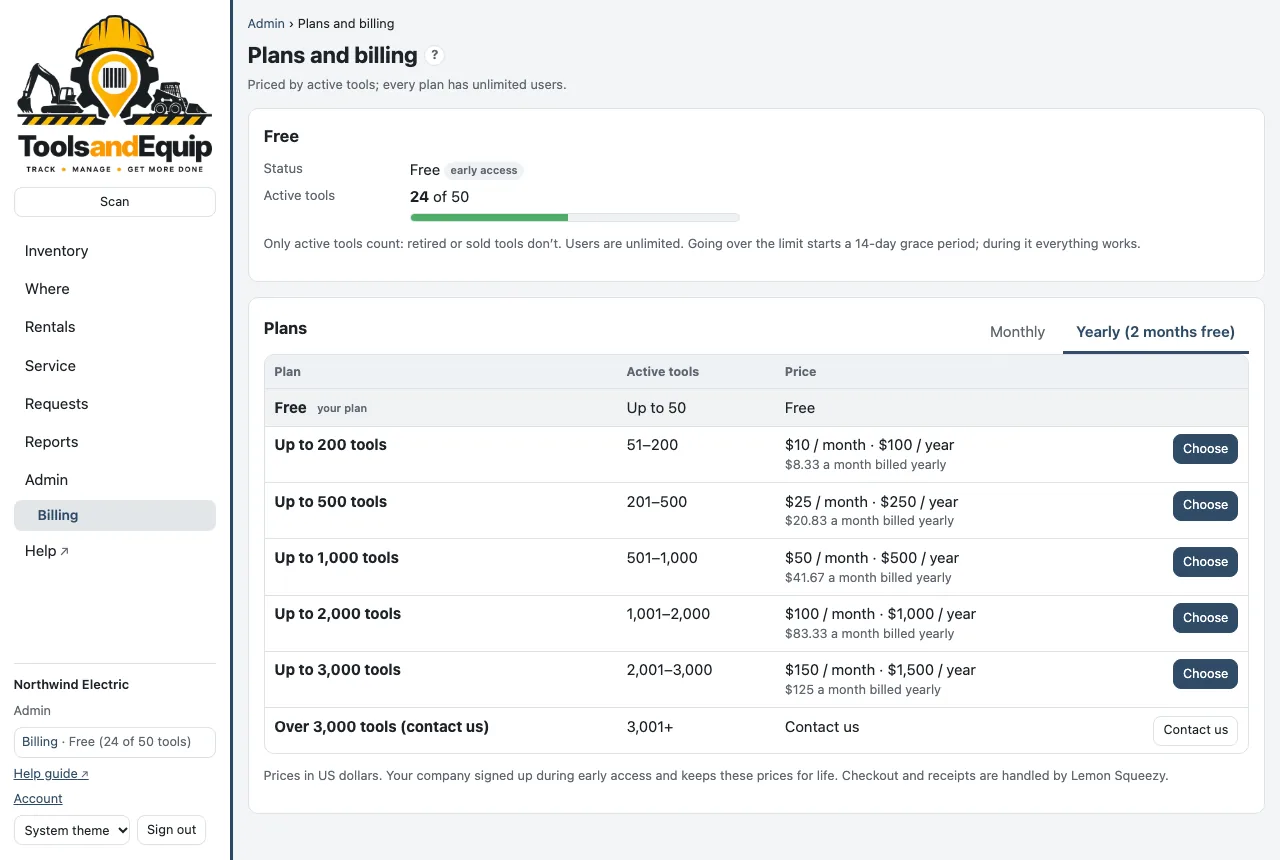
- Free for up to 50 active tools. Above that, the price depends only on how many active tools you track.
- Unlimited users on every plan, free included.
- Only active tools count. Available, out, on a job, in repair and missing all count. Retired tools don't.
- Yearly billing costs 10 months: 2 months free.
- A little room: you can go up to 10% over your plan before anything changes (for example 220 active tools on the Up to 200 plan).
| Active tools | Monthly | Yearly |
|---|---|---|
| Up to 50 | Free | Free |
| Up to 200 | $10 | $100 |
| Up to 500 | $25 | $250 |
| Up to 1,000 | $50 | $500 |
| Up to 2,000 | $100 | $1,000 |
| Up to 3,000 | $150 | $1,500 |
| Over 3,000 | Email [email protected] | |
Prices are in US dollars. The current prices are always on the pricing page.
Manage the plan
Who can do this Admin (Billing). Plans are managed on the website only, not in the phone app.
- On app.toolsandequip.com, open Billing in the menu (under Admin).
- The plan card shows your plan, its status, Active tools N of … and when it renews.
- Under Plans, pick Monthly or Yearly and choose a plan. Checkout and receipts are handled by Stripe, our reseller: they say “Sold through Link”, and the charge shows on the card statement as LINK.COM* TOOLSANDEQUIP. Sales tax is added on top where it applies. We never see your card number.
- Manage billing (card, invoices, cancel) opens Stripe's billing portal to change the card, download receipts or cancel. The subscription can also be managed at link.com.
A canceled plan runs to the end of the period you paid for, then your company is on the free plan again. Your data stays.
Going over the limit
Nothing stops working and nothing is deleted.
- Going more than 10% over the plan starts a 14-day grace period. Everything works as usual. Admins see a banner with the days left and get a billing email (by email only; billing never comes to the phone app).
- After the grace period, adding or reinstating tools is paused above that 10% until the company is back within a plan, by changing plan or retiring tools you no longer have.
- Moving, checking out, looking up and reporting on the tools you have keeps working throughout.
The phone app never sells or changes plans. If it says the tool limit has been reached, ask a company admin, who manages the plan here on the website.
Plans and billing are managed by your company admin.