
The Reports page
Reports collects every report in one place. Each one is built fresh when you open it, so it shows where things stand right now. Every table exports to Excel or CSV, and most print.
- The fleet: Where the fleet is, the inventory list, missing tools.
- Work to do: service and inspections due, rented equipment, requests, work orders, reservations, the reorder list.
- Cost and checks: cost to jobs, audits, documents expiring.
- History: activity, and the audit log for admins.
Where the fleet is
Who can do this Everyone.
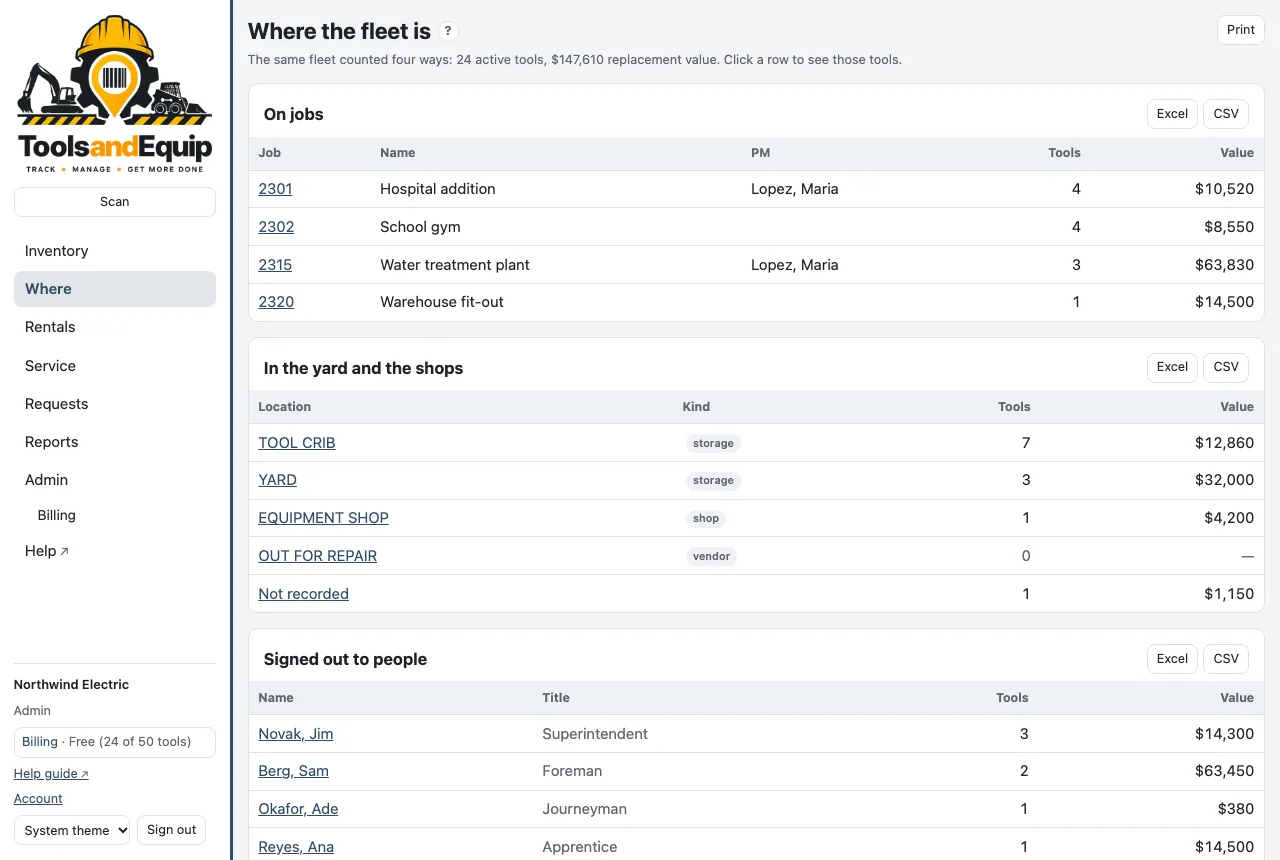
Where counts the same fleet four ways, with the replacement value: On jobs, In the yard and the shops, Signed out to people and By category. Click any row to see those tools in the inventory. Retired tools aren't counted.
Cost to jobs
Who can do this Seeing the report: Admin, Crib and PM (a PM sees their own jobs). Setting charge rates: Admin (Set charge rates).
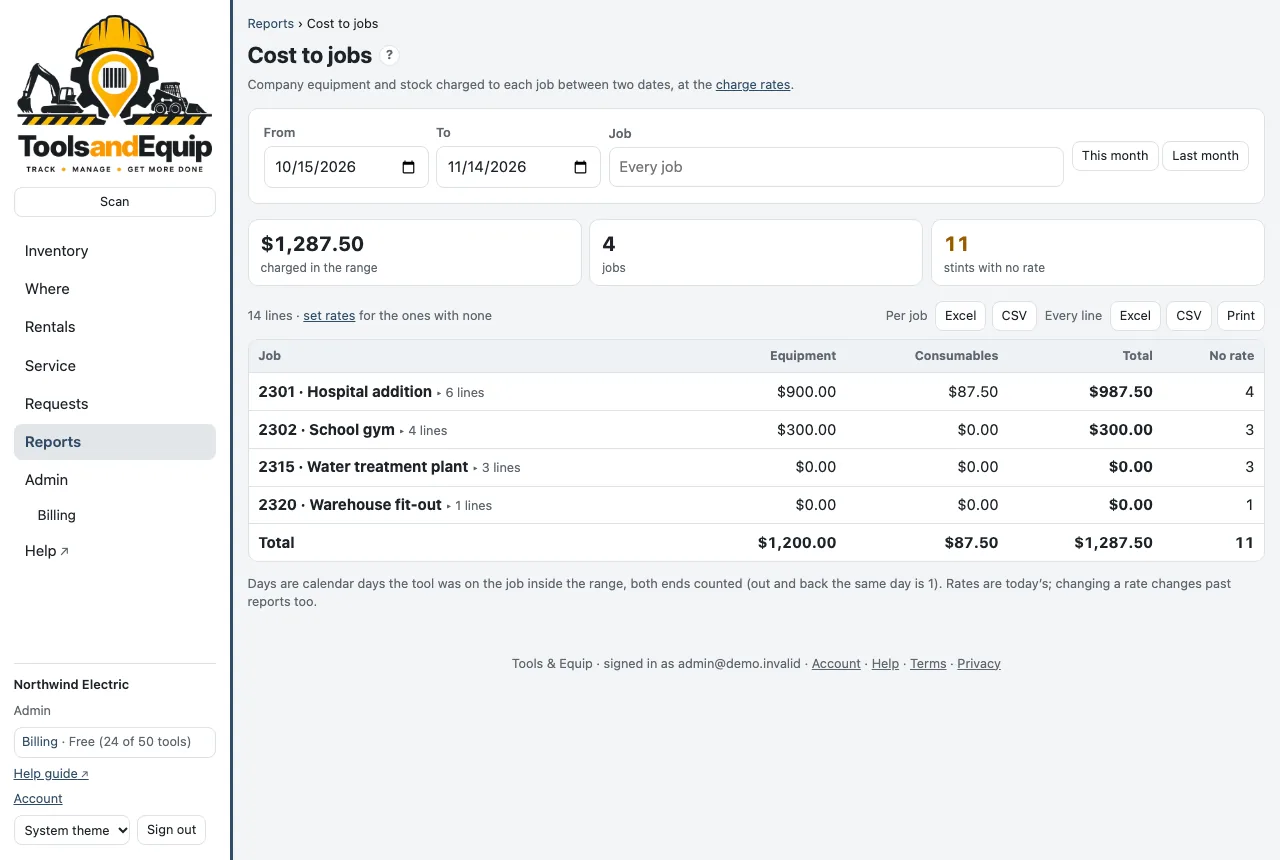
Job charge-back: what each job is charged for company equipment and stock between two dates.
- First set the rates: Admin → Charge rates. For each category enter a daily, weekly and/or monthly rate. A tool can have its own rate too. The cheapest of the rates set applies: 10 days at $25/day or $100/week is 2 weeks, $200.
- Open Reports → Cost to jobs. Pick From and To, or press This month / Last month, and optionally one Job.
- Click a job to see its lines. Export Per job for billing, or Every line for the detail.
Days are calendar days on the job inside the range, both ends counted (out and back the same day is 1). Rates are today's: changing a rate changes past reports too. "Stints with no rate" shows what isn't being charged yet.
Activity
Who can do this The tool ledger: everyone. The audit log: Admin (Audit log).
Reports → Activity lists every move, status change, service and edit across the fleet between two dates, newest first. Filter by Kind or search for a tool, place, person or note. The screen shows the first 500 lines; the export has them all.
With Receivers accept transfers, a movement that was accepted shows how under it (Accepted by Fred on their device, Accepted in person (signed), Accepted in person (no signature), Confirmed for someone). Filter by Accepted, and the export adds the columns Acceptance, Accepted by, Accepted at, Sent by and Device. Declined and canceled transfers never moved anything, so they are under Transfers → History, with their own export.
The Audit log tab shows who did what: admin changes and imports.
Exports
- Excel files have a frozen header row with filters, real dates and dollar amounts, and a totals row. They print landscape, fit to width.
- CSV files have the same columns, for other software.
- The inventory's Export gives exactly what is on screen with the replacement cost totaled. It's the file for insurance and the auditors.
- Your import lists (tools, people, jobs, locations, categories) export from Import → Export current.