
Choose your notifications
Who can do this Everyone, for themselves. Nobody else's settings change.
Open Admin (or Lists) → Notifications. In the phone app: Settings → Notifications…. Tick Email and Push for each kind. You only see the kinds that can reach your role.
| Kind | When | Who gets it |
|---|---|---|
| New requests | Someone raises a request. | Admin, Crib (Work requests) |
| My requests | A request you raised changes status. | Everyone |
| Work orders for me | A work order is assigned to you. | Everyone |
| New work orders | A work order is opened with nobody assigned. | Work orders |
| My work orders' progress | A work order you opened (or your request's) is started, waiting for parts, done or canceled; or one assigned to you is canceled. | Everyone |
| Overdue work orders | Daily: a work order assigned to you is past its due date (or one you opened, when a vendor or someone without a login has it). | Everyone |
| Overdue returns | Daily: bookings and rentals past their end date with tools still out. | Bookings or rentals rights, PMs for their jobs. Email |
| Service due | Daily: services and inspections overdue or due within 7 days, work orders past due. | Record service. Email |
| Documents expiring | Daily: documents expired or expiring within 30 days. | Documents. Email |
| Tools to accept | Someone hands you tools, or your request was picked up, and your company has Receivers accept transfers on. Reminders too. | Everyone |
| My transfers | Someone declined tools you sent, a transfer of yours was called off by someone else's move, or an admin confirmed for you that you took tools. | Everyone |
| Billing | The plan's grace period starts, and when it's about to end. | Admin (Billing). Email only |
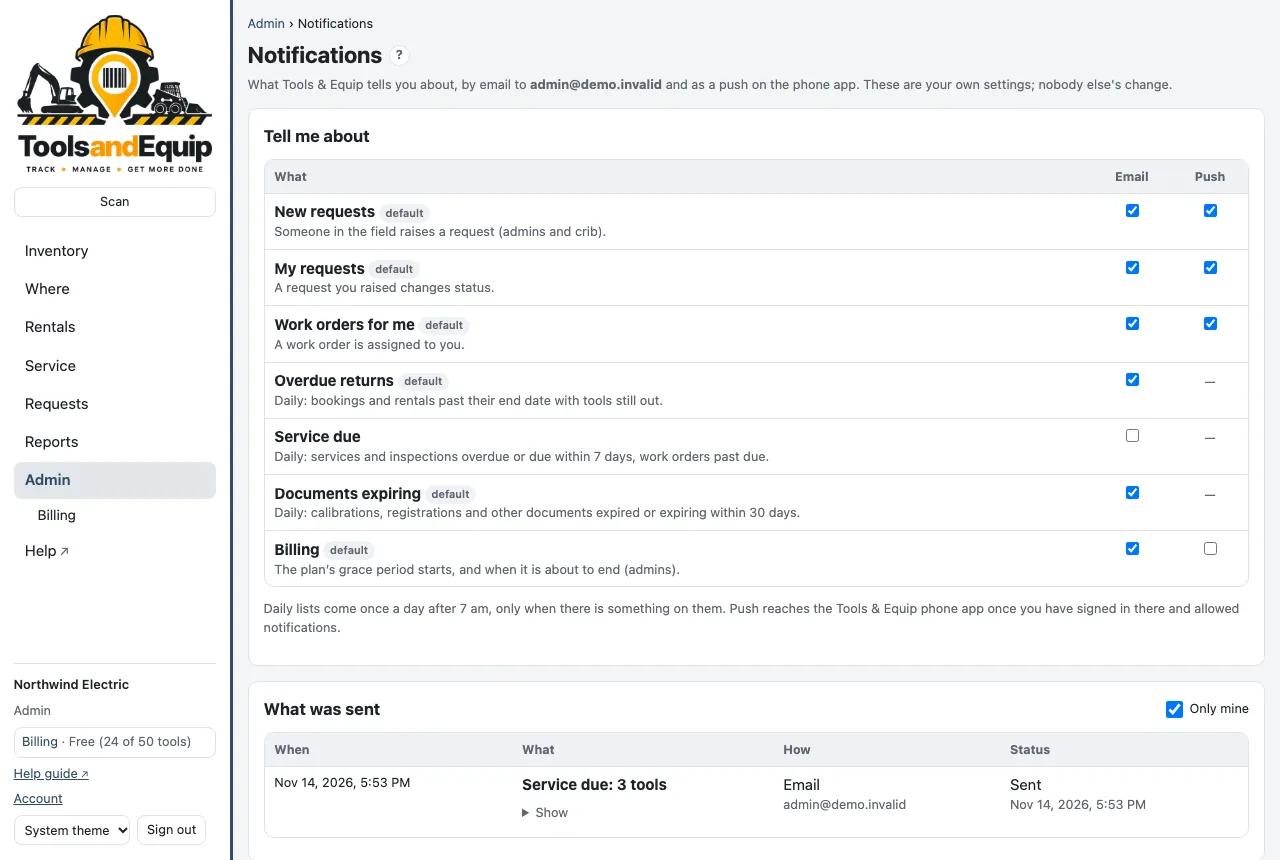
- Daily lists come once a day after 7 am (your company's time zone), and only when there is something on them.
- Push reaches the Tools & Equip phone app once you have signed in there and allowed notifications. In the app, Turn on push here or Open iOS Settings.
- What was sent lists your recent emails and pushes and whether they went out.
- Invite emails and sign-in codes always go out. They aren't a setting.